

Marcus Delgado refreshed his phone at on a Tuesday in , staring at the same “Return Received” message he’d seen for nine straight days on Where’s My Refund? — waiting on a $3,847 refund he was counting on for a security deposit. I’ve heard that story dozens of times, and every time it leads back to the same misunderstanding: most filers have no idea when the IRS actually updates that tool, or why refreshing it at midnight changes absolutely nothing.
Where’s My Refund? updates once per day — usually overnight. Checking it multiple times in 24 hours wastes your time. The IRS also takes the tool offline every Monday from to Eastern. Plan your check-ins around these windows to avoid confusion and unnecessary anxiety.
What “Where’s My Refund?” Actually Is — And What It Isn’t
Read more: IRS Tax Refund Schedule 2026: When to Expect Your Refund
I want to set expectations before we go any further. Where’s My Refund? — available at IRS.gov/refunds and inside the IRS2Go mobile app — is a status tracker, not a live banking feed. It pulls from IRS processing systems and shows one of three stages: Return Received, Refund Approved, or Refund Sent.
The tool does not show your exact refund dollar amount on the status bar. It does not show IRS agent notes. It does not tell you whether your return has been selected for review under Form 4442 or any other inquiry process. What it does do — reliably — is give you the most current snapshot the IRS has made available, updated on a fixed 24-hour cycle.
According to IRS.gov, you can access your status as early as 24 hours after e-filing a current-year return, or three days after e-filing a prior-year return. Paper filers wait longer — up to four weeks before any status appears.
The Daily Update Cycle: Exactly When the IRS Refreshes Your Status
Where’s My Refund? on both IRS.gov and the IRS2Go app updates once a day, usually at night. The IRS does not publish a precise timestamp — “usually at night” is the official language — but based on patterns I’ve tracked across multiple filing seasons, most updates post between and Eastern Time.
This is not a weekly cycle. It is not a business-days-only cycle. Where’s My Refund? updates every 24 hours and remains the best way to check your refund status, per the Taxpayer Advocate Service. The confusion around “weekly” usually stems from the fact that IRS processing batches for paper returns and certain amended returns run on weekly cycles — but your tracker display still refreshes daily even when the underlying processing hasn’t changed.
Sources: IRS.gov/refunds, Taxpayer Advocate Service
The Monday Blackout Window and Other Downtime You Need to Know
Here is something most guides skip entirely. Where’s My Refund? is unavailable every Monday, from to Eastern Time — that’s a consistent weekly maintenance window. If you open the app or visit IRS.gov/refunds during those three hours on a Monday and see an error or blank screen, nothing is wrong with your return. The system is just down.
Outside that Monday window, the tool is available almost all of the time. Occasional unscheduled outages happen during peak filing season — particularly in late and early when volume surges — but these are rare and typically short. I bookmark the IRS system status page at IRS.gov during tax season so I can distinguish a personal issue from a site-wide outage.
Some tax prep social media accounts tell filers to “check frequently” or “set an hourly alarm.” I understand the anxiety — a $2,300 refund sitting in limbo feels urgent. But hourly checks don’t accelerate IRS processing, and the tool’s data won’t change mid-day. Excessive requests may occasionally trigger CAPTCHA challenges. One strategic nightly check — after the typical update window — gives you the same information with zero extra stress.
Step-by-Step: How to Use Where’s My Refund? Like a Pro
Read more: IRS Where’s My Refund Updates at 3 AM Eastern — Check This Time
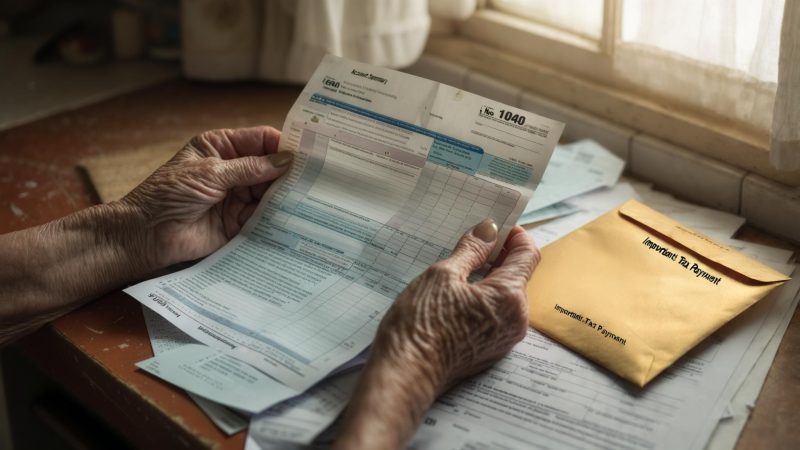
The tool requires three pieces of information: your Social Security Number (or ITIN), your filing status, and the exact refund amount shown on your return. For most filers, that’s Line 35a on Form 1040. If you enter an amount that’s off by even $1, you’ll get a mismatch error.
Find your exact refund amount on Line 35a before opening the tool.
Traffic is lighter and updates have usually posted by then.
Even a $1 difference on Line 35a will return a “no information” error.
Screenshot every update. I tracked mine from through .
On , my tool finally shifted from Return Received to Refund Approved. My direct deposit of $3,847 landed two days later. That matches the IRS’s published 21-day standard for e-filed returns with direct deposit. Source: irs.gov/refunds.
What Each Status Message Actually Means
The tool cycles through three core statuses. I will decode each one plainly. I spent three weeks staring at these screens, so you do not have to guess.
The IRS has your return in its system. Processing has not started. Do not call yet. This status can hold for up to 21 days.
The IRS has authorized your refund amount. A deposit date should appear within 24 hours of this status change.
The IRS transmitted funds to your bank or mailed your check. Banks can hold deposits an additional 1–5 business days.
This is not a red flag by itself. The IRS instructs filers to wait at least 24 hours after e-filing or 4 weeks after mailing a paper return before checking. Source: irs.gov/refunds/about-wheres-my-refund.
Daily vs. Weekly Update Groups: Which One Are You In?
This is the detail most articles skip. The IRS processes returns in two distinct batches. Your filing method and return type determine your group. I confirmed this through IRS Publication 5307 and irs.gov operational guidance.
Daily Update Group
- E-filed returns
- Direct deposit selected
- No error flags on submission
- Updates post overnight, Sunday–Friday
- Typical refund window: 10–21 days
My e-file fell into this group. I saw daily status movement starting day 3.
Weekly Update Group
- Paper-filed Form 1040 returns
- Amended returns (Form 1040-X)
- Returns requiring manual review
- Updates post once per week, typically Wednesday
- Typical refund window: 6–8 weeks minimum
A colleague mailed her return on . Her first tool update did not appear until .
The IRS updates its master file in two cycles: the Daily Transaction File and the Weekly Transaction File. E-filers feed into the daily cycle. Paper filers enter the weekly cycle after manual transcription. That gap explains why checking every hour helps nobody in the weekly group.
When 21 Days Pass and Nothing Changes
Read more: IRS Refund Tracker: $3,207 Average — Here’s How to Check Yours
I hit day 22 on a prior-year return with no update. Here is the exact process I followed. I am sharing it only as my personal experience — not as tax advice.
If your refund delay causes financial hardship, TAS may intervene at no cost. Eligibility thresholds and contact details are at taxpayeradvocate.irs.gov. I contacted them on day 45 of a delayed amended return in 2024.
IRS2Go App: Same Data, Mobile Format
The IRS2Go app pulls identical data to the browser-based Where’s My Refund tool. It updates on the same daily and weekly cycles. I



Leave a Reply